

Appoint your committee: roles for your team
Your mosque runs on people with roles: coordinators who build the rotas, and trustees who carry the safeguarding duty. Team is where you give people those roles. Kadim never sends an invite email. You add someone here, get a personal invite link, and hand it to them, that is the invitation.
Appoint someone
- Open Team (
/team). - Tap the floating Add someone button. The appointment sheet opens over the team list.
- Enter their first name, last name, the email they will sign in with, and choose a role: Volunteer, Coordinator or Trustee. A current trustee can also choose Mosque administrator when the admin pilot is enabled.
- Tap Appoint.
- Kadim shows you a one-time invite link. Tap Copy link and send it to them, in person or in your group chat.
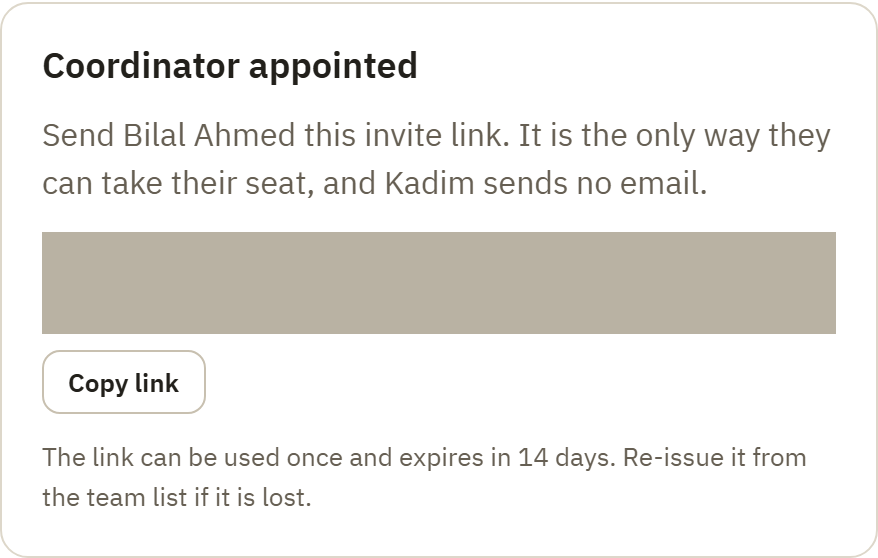
Send them the link with a note like: "Open this link on your phone to sign in and take your seat." When they open it and sign in with that email, Kadim gives them exactly the role you chose.
The invite link is how we keep your committee safe: only someone who has the link and signs in with the matching email can take the seat, so an email address on its own is never enough. For that reason:
- The link works once, and expires in 14 days. Send it soon.
- It carries no personal details, just a one-time code. It is safe to send over WhatsApp or text.
- Lost the link? Open Team, find the person (they show as Not signed in yet), tap their row to open their member page, tap Actions, then tap Issue a fresh invite link. The old link stops working the moment you issue a new one.
Find someone and open their member page
Filtering keeps a larger mosque manageable. Tap Filter to open the filter sheet, or use the chips above the list: choose All, Needs attention, Committee or Volunteers to narrow the list without losing your place.
Tap a person's row to open their member page. This is where you see the roles they hold at this mosque and the actions you are allowed to take. Someone who has not taken their seat yet also has Issue a fresh invite link in the Actions sheet, so you can retire a lost link and issue a fresh one.
What they see when they open the link
The invite link takes them straight to Kadim's secure sign-in screen, which shows the choices in one place, so nobody has to guess:
- Continue with Google if the invited email is a Google account.
- Create an account otherwise. They set a password there and open the verification link before they are in.
A first-timer has no Kadim password yet, so there is nothing to reset. The sign-in screen offers create an account and Google right there, so nobody is stranded waiting for a reset email. If they sign in with a different email than the one you invited, they are not given the seat, and they see an honest "ask your coordinator" message, never someone else's mosque.
If an invite link has already been used or has expired, opening it shows a plain "this link is no longer valid, ask for a fresh one" page. Issue a new link from Team and send it over.
Who can appoint whom
The rules keep your committee safe:
- Coordinators and mosque administrators appoint and remove volunteers and coordinators.
- Only an existing trustee appoints or removes a mosque administrator; an admin cannot appoint a trustee or use the first-trustee exception.
- The first trustee at a fresh mosque can be seated by a coordinator, so someone can get the committee started. After that, a trustee appoints further trustees.
- Nobody changes their own role. Ask another trustee, or the Kadim team, if yours needs to change.
Removing a role
Open the person's member page. Each role that you are allowed to remove has its own Remove action, so someone with more than one role is never treated as one all-or-nothing record. Tap Remove for the specific role. Because this is a permanent removal, Kadim asks you to confirm first, naming the person and the role you're about to remove. Once confirmed, that role disappears straight away and the access it granted ends on their next visit. Two guards protect your mosque:
- A coordinator cannot remove a trustee, only another trustee can.
- You cannot remove your last trustee while safeguarding records are held. Appoint a replacement trustee first. Your compliance records must never be left with no one responsible for them.
Good to know
- Trustee changes are recorded. Appointing or removing a trustee is written to your safeguarding audit log, who did it and when, alongside your DBS records.
- No email is ever sent. You hand over the invite link yourself, so there is nothing to spend and nothing to phish.
- Each link is one use and short-lived. If in doubt, issue a fresh one from Team, and it instantly retires any earlier link for that person.
Questions? Email support@kadim.co.uk.