

Your first Friday as a volunteer
This walkthrough takes you from the link your mosque shared to standing on the car park on Friday. You don't need an app or an account. The whole thing takes about a minute, and you can do it from the same phone you read this on.
What you'll need
Your phone, and the roster link your coordinator posted, usually in the mosque WhatsApp group. That's everything.
Step 1: Open the link and pick a slot
Tap the link. The week's roster opens straight away, no sign-in. Under the date you'll see every slot, each with its time, who it's for, and whether it's open or already filled.

Find a slot that suits you, for example Car park marshal, 12:30pm, and tap the row. A panel slides up asking Claim this slot? with what you'd be taking on. Tap Continue with my phone. (A slot someone else has already taken isn't tappable, so you can't claim over anyone.)
Step 2: Prove it's you with a code
Enter your name and UK mobile number, then tap Text me a code. A 6-digit code arrives by text a moment later.
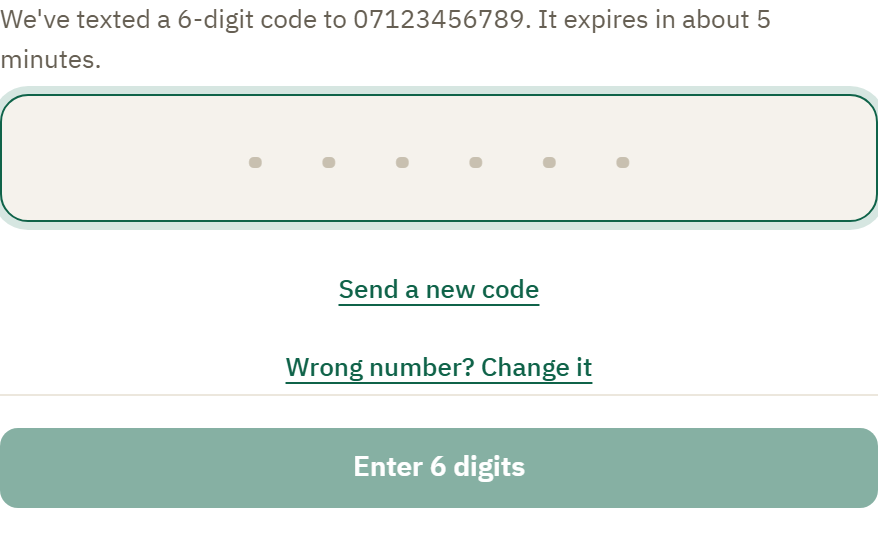
Type it in, or let your phone fill it in for you from the text. The code lasts about five minutes, and the button waits until all six digits are in. That's the whole sign-in: a code by text, no password to remember.
Step 3: You're on
The panel says You're on. Tap Done and your own slot is there on the roster with your name against it. The day before your slot, Kadim texts you a reminder so it never slips your mind. There is nothing else to do until Friday.
Step 4: Walk in
Turn up at the time on your slot. If you claimed with the rest of a crew, the roster shows their first names, so you can say salaam to someone by name instead of scanning a crowd of strangers.
What happens next
- Coming back next week is faster. Open the same link, tap the slot, tap confirm. Your phone remembers you, so there's no number to re-enter and no code.
- Can't make a week? Open the roster, tap your own slot, and drop it from the panel so someone else can step in.
- Want your duties in your own calendar? See Add your duties to your calendar.
Learn more
- Claim a slot from a shared link covers every detail and every "what if".
- How Kadim protects volunteers' privacy explains what we store and what we never do.
- The texts Kadim sends you and the one ask that stops them.